With the release of OpenWRT 25.12.2 the OpenWRT ASU (Attended Sysupgrade Server) at sysupgrade.openwrt.org were completely overloaded for many days. This happens because OpenWRT started checking for upgrades in LUCI with25.12. A contributing facor to the overloaded queue is that even normal installation without any additional packages trigger the sysupgrade-servers even though it would be possible to download the precompiled standard-image from downloads.openwrt.org.
Anyway… I didn’t want to wait, so I spent an evening in gettting my own ASU running. As my machines use docker (instead of podman) the official container-image wouldn’t work. Cheating podman-commands out of it didn’t work, so I gave up and looked at bzp2010’s ASU which runs podman inside a docker container.
bzp2010 describes his approach: „This project employs a DinD-like (Docker in Docker) approach to deploy ASU servers, but utilizes Podman instead (Podman in Docker). It runs the entire ASU server and workers within a single Docker container using a Podman image (quay.io/podman/stable). Regardless of how many independent build containers it launches, all operations occur within the Docker container.
This encapsulates Podman’s inherent complexity within the Docker container. Launching the ASU stack for this project requires only Docker Compose, with the image builder being ready to use out of the box.„
How to install bzp2010’s ASU:
- Download
cd /opt/containers
git clone https://github.com/bzp2010/openwrt-asu- Adjust config
1. Backupcp docker-compose.yml docker-compose.yml.bak
Modify docker-compose.yml:
1. Fix path for write permissionvolumes: - ./asu_data:/asu/public:rw # ← Host-Pfad statt named volume
2. add edefault repo:- DEFAULT_REPOSITORIES='{"25.12.2":"https://downloads.openwrt.org/releases/25.12.2/"}'- DEFAULT_REPOSITORY_KEYS='[]' - REPOSITORY_ALLOW_LIST='["https://downloads.openwrt.org/releases/25.12.2/"]'
Patching doesn’t seem to work with current build:
edit asu/Dockerfile.asu and delete the last line (RUN for patch in /tmp/patches/*.patch; do git apply -p1 $patch; done)
AND/OR null the custom-repo-patch:touch patches/custom-repo.patch
Add directories and set permissions:chmod 777 asu asu_data
3. Start up the containersdocker compose up --build
4. Test a run
curl -X ‚POST‘ ‚http://localhost:8000/api/v1/build‘ -H ‚Content-Type: application/json‘ -d ‚{ - „version“: „23.05.6“,
- „target“: „x86/64“,
- „profile“: „generic“,
- „packages“: [„nano“, „zlib“],
- „defaults“: „uci set system.@system[0].hostname=’\“ph24-router’\“; uci commit system“
- }‘
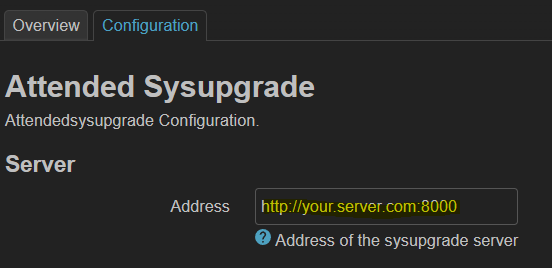
Finally configure your router’s luci-app-attended-sysupgrade so that it points to your server:
- Adjust config